Avetics Global
Volarious & V-Assist — Real-Time Aircraft Control from Android
- Kotlin
- Jetpack Compose
- Hilt
- Coroutines · Flow
- Multi-module
- MVVM · MVI
- Firebase
- Google Play
- DJI Mobile SDK
The domain is drones. The work is systems engineering delivered through senior Android craft — modular architecture, Compose UI, real-time state, dependency injection, theming and store releases, wired to live hardware over a vendor SDK and a TCP telemetry link. Every one of those skills transfers to your product.
- Problem
- Two Android products for Avetics Global, running side by side on the same rugged tablet: Volarious, the operator’s control app, and V-Assist, the companion for tethered-power operations. Between them it is the brief any serious Android app carries — authentication, a live telemetry dashboard, light and dark themes, device settings, a system overlay, error and recovery states, Play Store releases — with one twist that shapes every decision: the data arriving over the socket is a live aircraft, so late data is useless data.
- The system
-
DJI aircraft · tether station (live hardware) ↕ DJI Mobile SDK — video feed · flight control ↕ custom TCP sockets — real-time telemetry Android controller — Volarious & V-Assist · Compose dashboards · system overlay · QR detect-track-land ↕ Firebase — auth · sessions · remote device config Backend services - My role
- Senior Android Engineer. I owned the ground-up architectural rewrite, built features across both apps, and set the engineering standards the 6-person Android team worked to.
- Architecture & tech
-
- Multi-module architecture with MVVM and MVI, adopted as the team-wide standard across both apps
- Jetpack Compose with a full dark/light theming pass — the same dashboard has to be readable at night and in direct sunlight
- Hilt for dependency injection; Kotlin Coroutines and Flow for all asynchronous state
- Custom TCP socket layer feeding the live telemetry dashboard — the same problem as any real-time app, on a latency budget where late is the same as wrong
- Firebase authentication and realtime database; sign-in, sessions and remote device configuration
- A system-overlay window so the telemetry widget stays on top of whatever else is running on the device
- Vendor SDK integration (DJI Mobile SDK) for the camera feed and hardware control, plus the codec and rendering pipeline behind it
- Google Play release engineering, and an AI-assisted workflow (Claude Code, Gemini CLI, Cursor) embedded in the team’s daily practice
The hard problem · Real-time computer vision without giving up image quality
V-Assist’s premium feature was already marketed and the release date was fixed: detect a QR code on the live camera feed, track it, and land on it. Close to release it was failing — at high image quality the detection lagged behind the feed. The obvious move was to drop the quality and ship. Instead I profiled the pipeline line by line and found the bottleneck was the video codec and rendering path, not the detection at all. Working from the codec documentation I rebalanced decoding against rendering, so the feed kept its quality and scanning ran in real time. It is the same class of problem as any Android app dropping frames under load — just with a physical consequence if you get it wrong.
Outcome
- Both apps in active production use today
- Team-wide architecture standards that measurably improved maintainability and onboarding speed across a 6-person Android team
- V-Assist published on Google Play, with its premium feature shipped on the marketed release date
- AI-assisted development workflow embedded into the team’s daily practice

Both apps, on the device
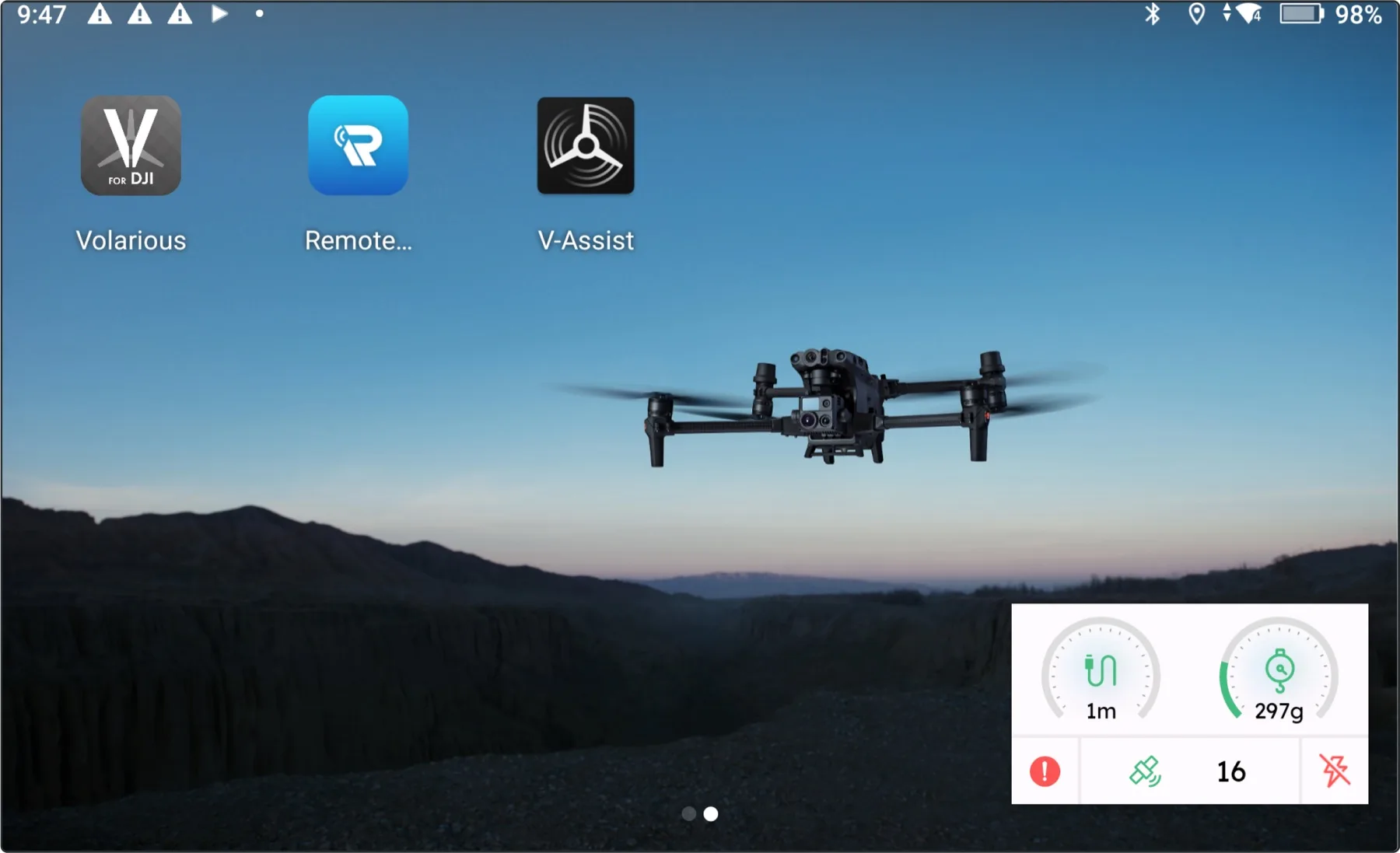
Both apps on one device — with V-Assist’s telemetry widget drawn as a system overlay above the launcher.
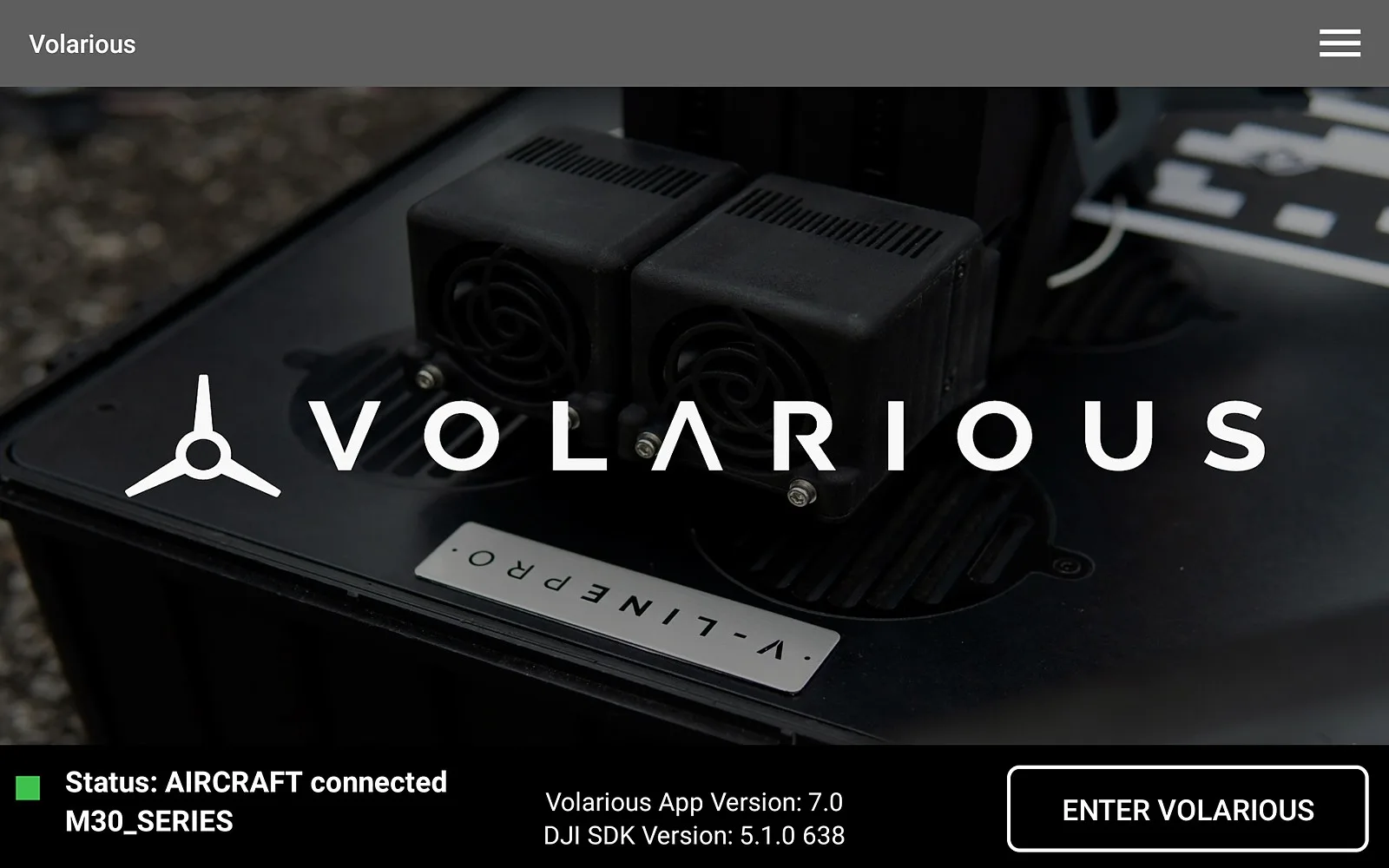
Volarious completing its handshake with the hardware over the vendor SDK.
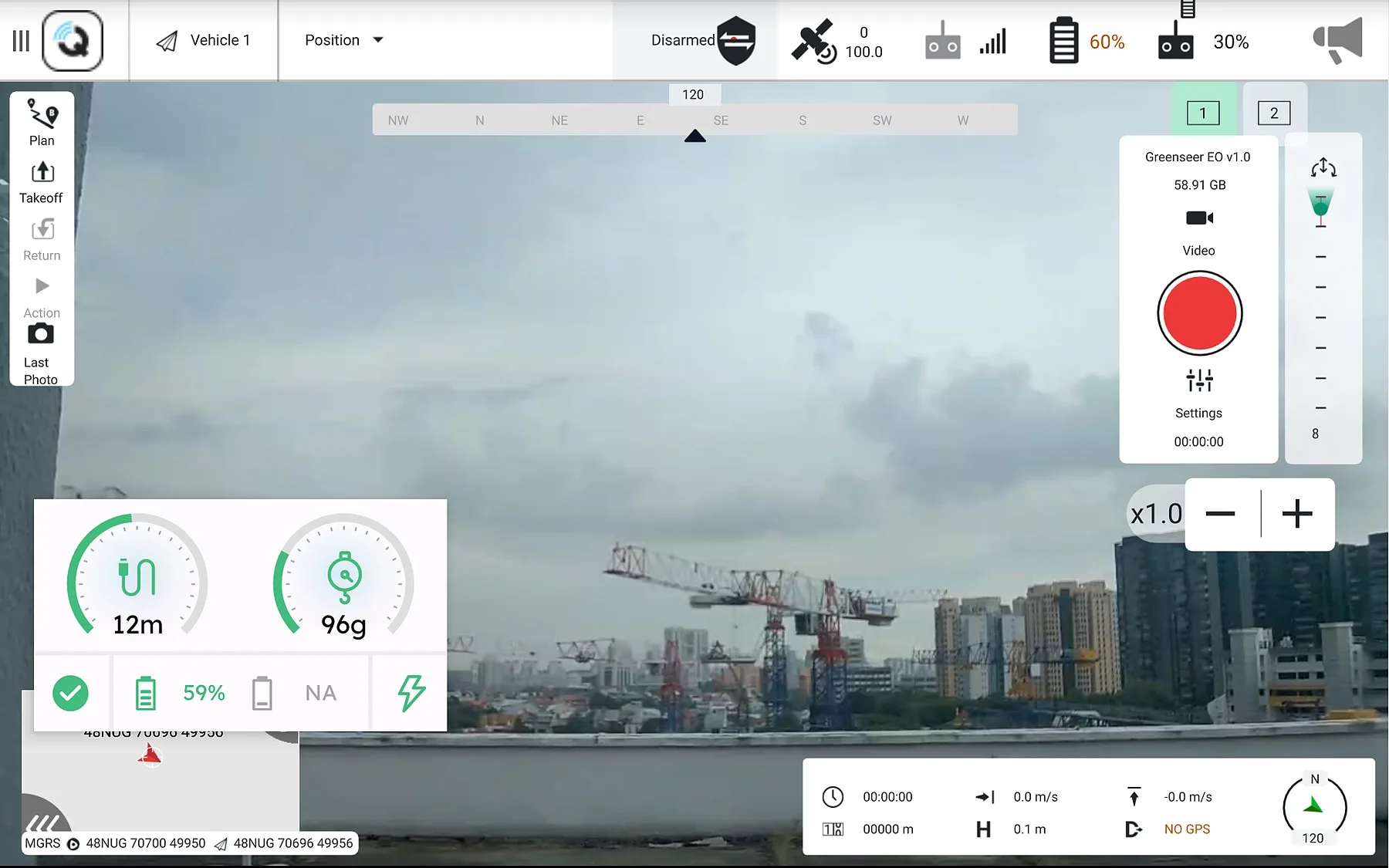
Live feed with the telemetry overlay, mission controls and map inset, mid-operation.
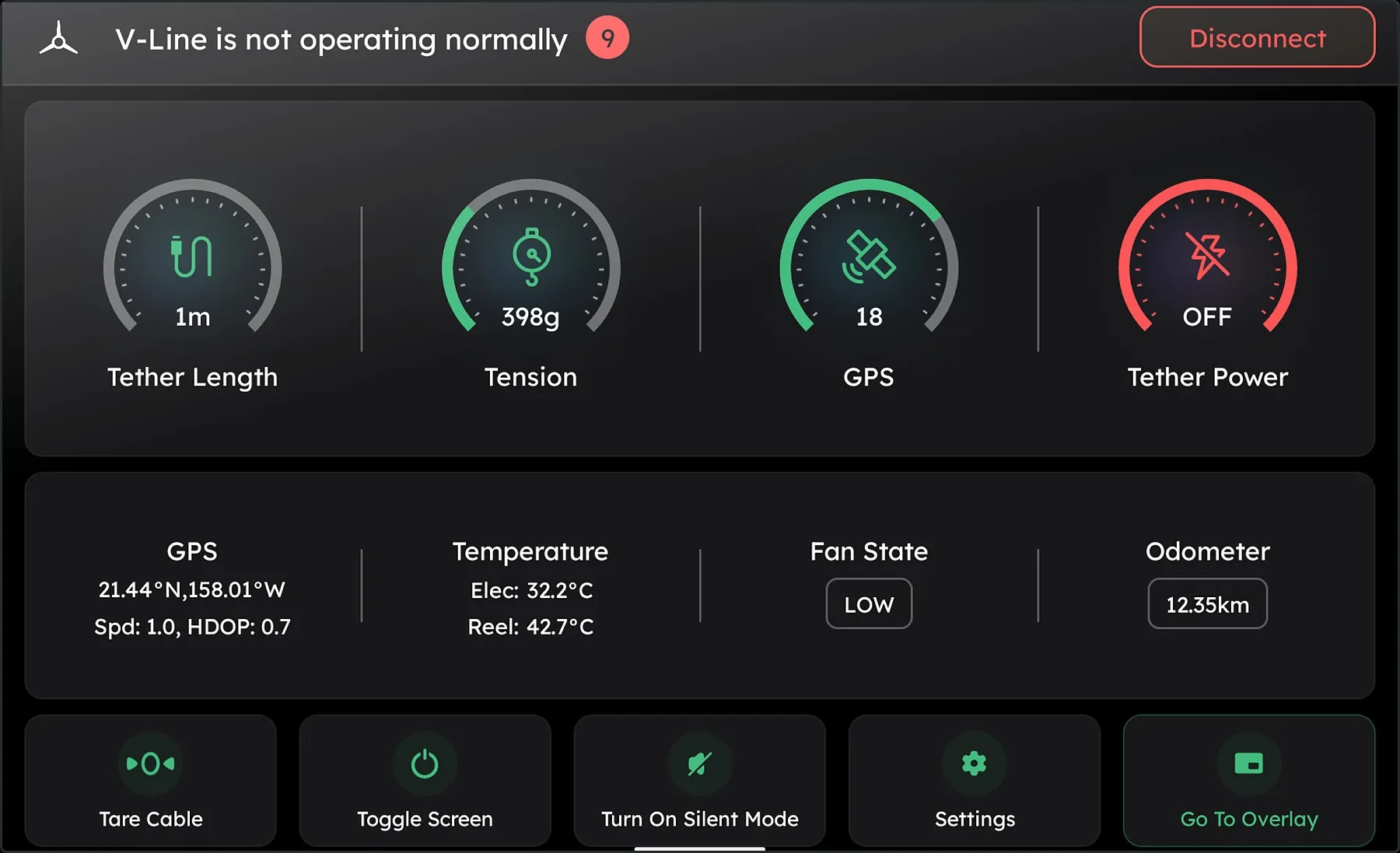
Telemetry dashboard, dark theme — for night operations.
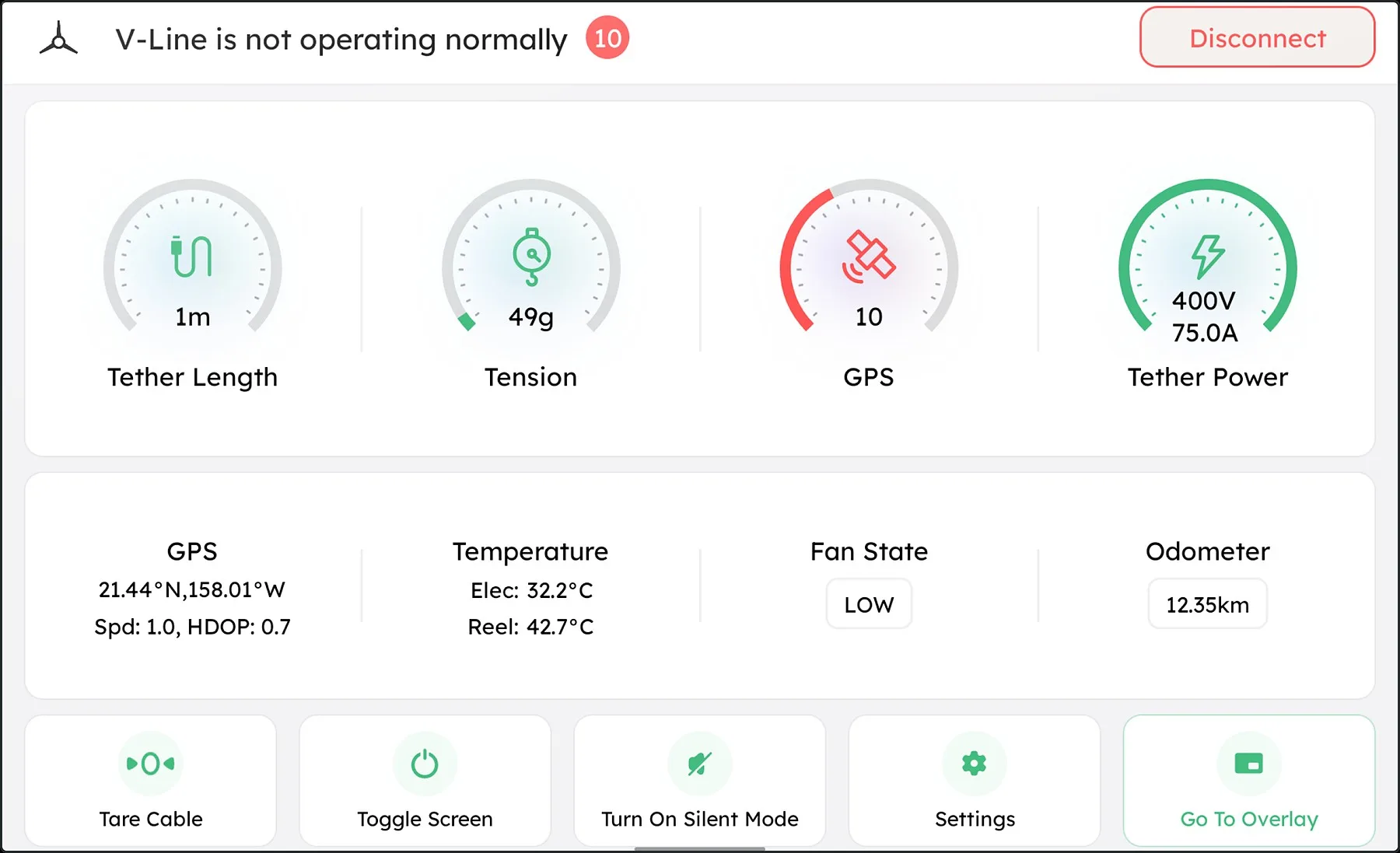
The same dashboard, light theme — one theming layer, two very different lighting conditions.
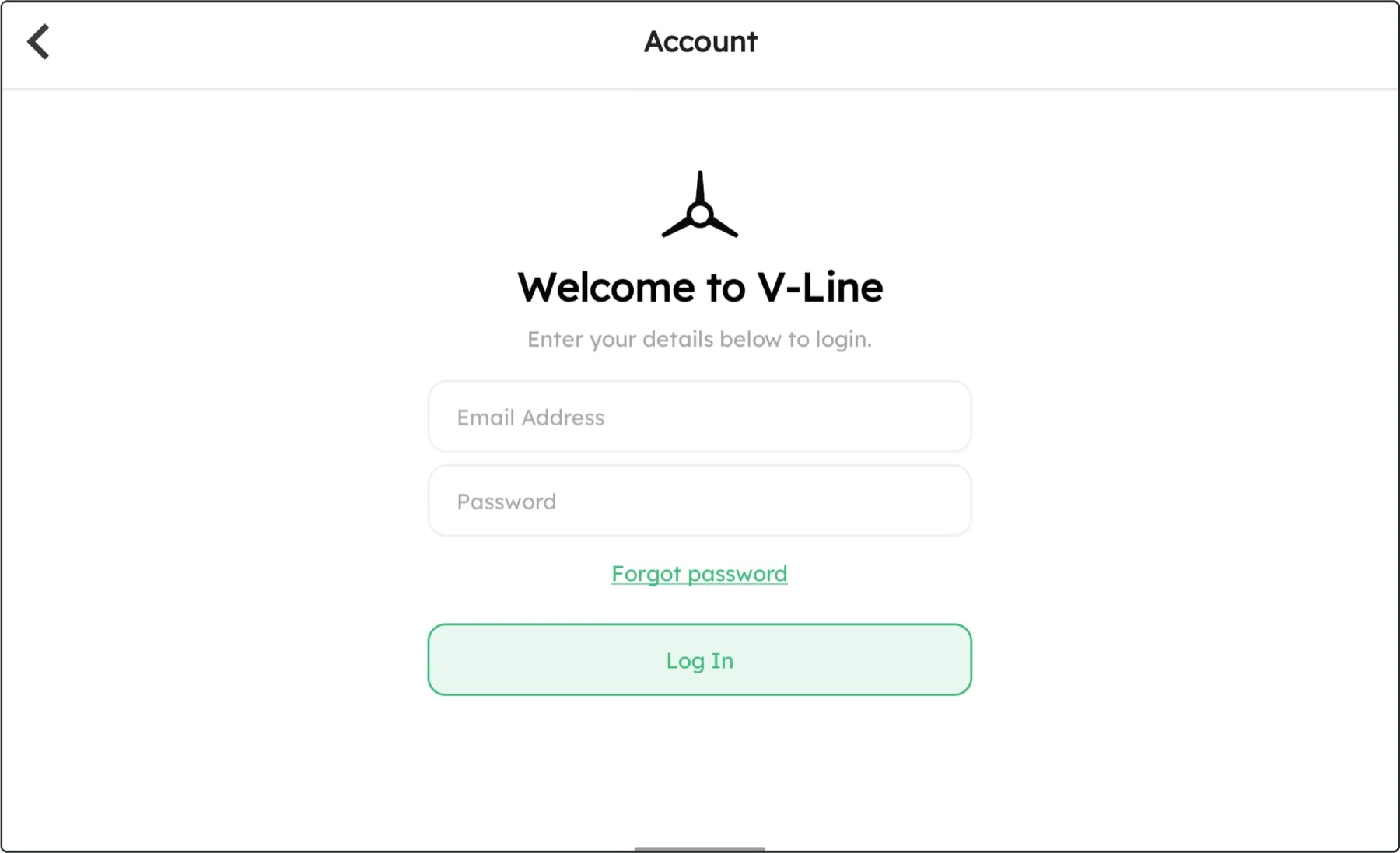
Firebase-backed sign-in and session handling.
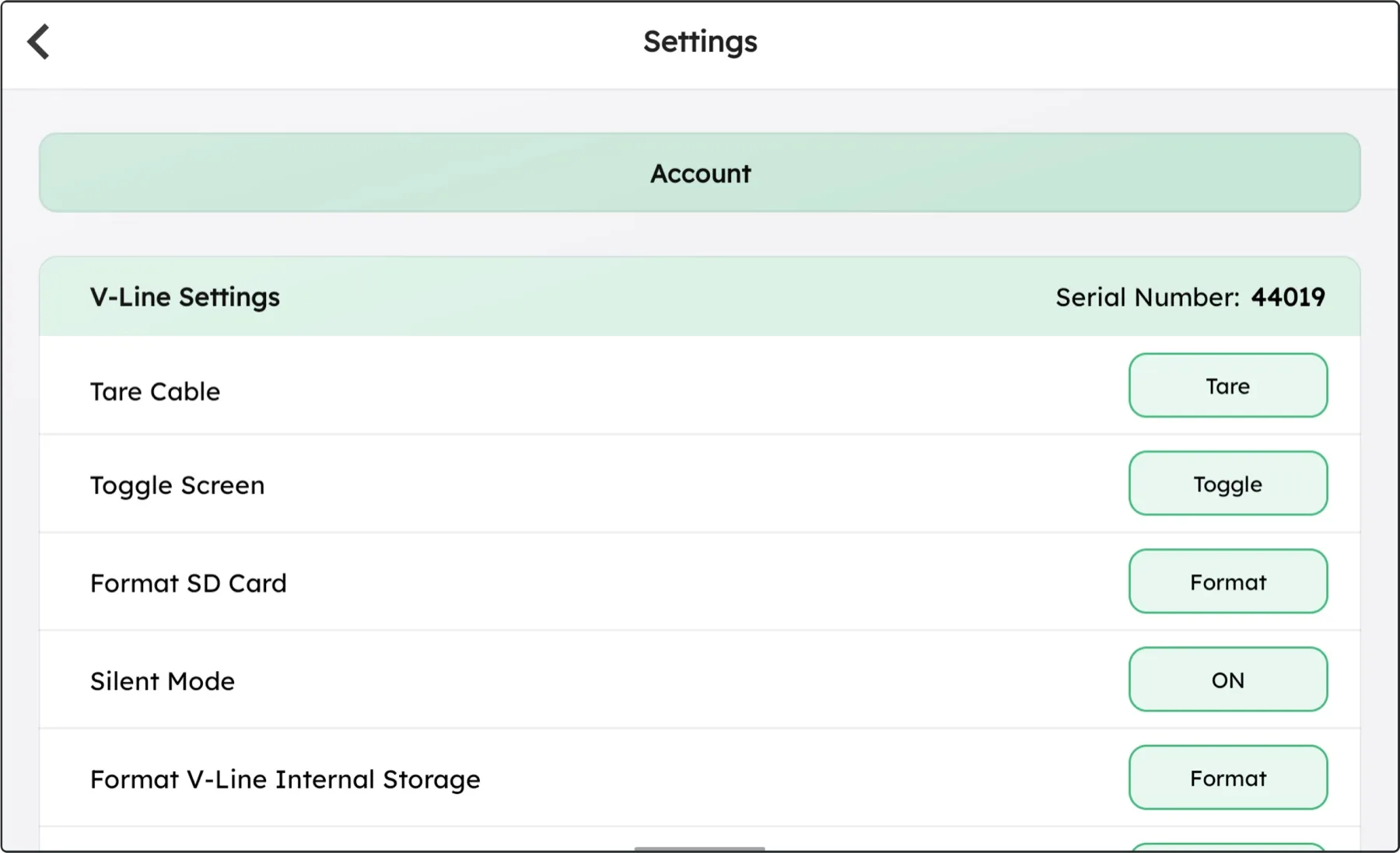
Device settings: remote configuration and maintenance actions, driven from the app.